UMS Billing Adjustment
The Adjust Bill feature in UMS will automatically re-calculate a bill when the Meter Reads and/or Meter Read Dates are corrected. The screen shots will show the Adjust Bill the process.
Control Panel Billing Adjustment
Go to the History Tab on the Account Control Panel
Highlight the Charge line that must be adjusted
Right click on the Charge line to see a list of options
Click on the option to Adjust Bill
If you click on the Adjust option, this will be a manually calculated adjustment to the charge
Go to the bottom of the screen and click on the Adjust Bill
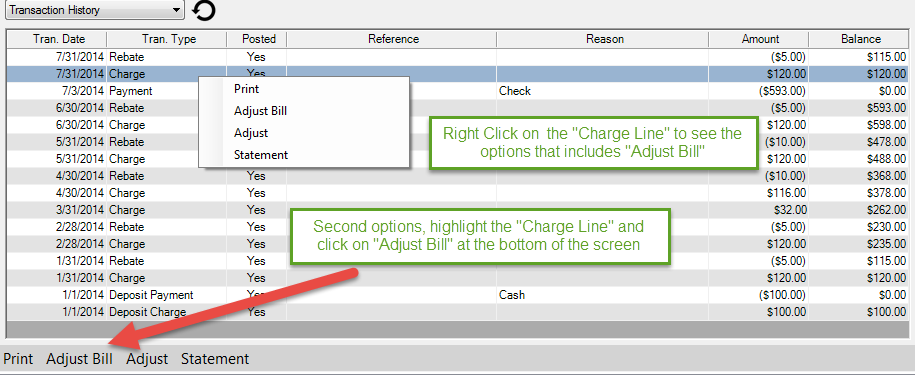
Figure 553: Adjust Bill
In the illustration above, sewer is billed based on the water consumption. This is determined by the Rate Code setup.
Items that can be changed
Transaction Date: This date will default to the date of the original charge
If you want the changes in the charge to appear on the current date, change the Transaction Date
Start read: This is the same as the Prior read on the meter
Start date: This date is the same as the Prior date on the meter
Current read: In most cases this will be the reading that is corrected to cause the Billing Adjustment
Current date: Change the date only if necessary
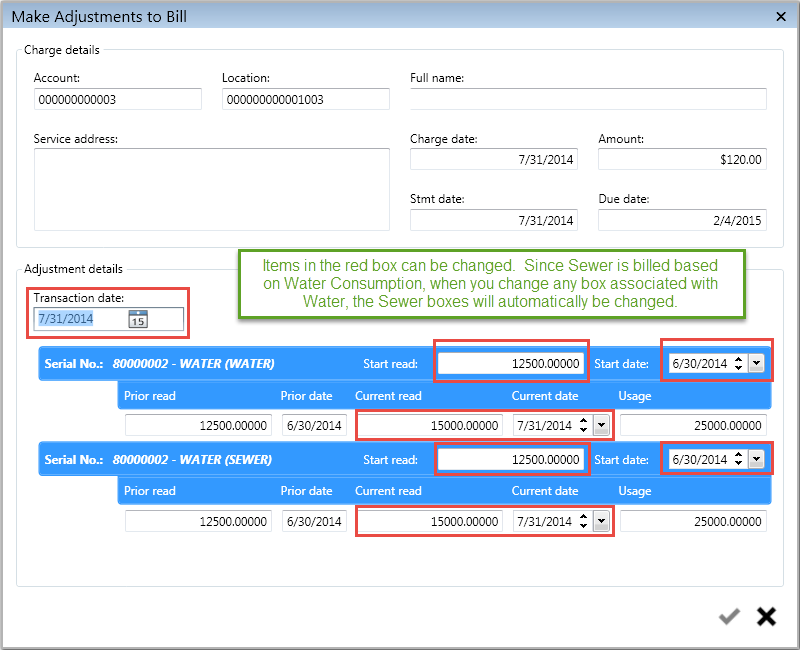
Figure 554: Bill Adjust Screen
Current read was changed from 15000.00000 to 14000.00000
This change reduced the consumption from 2500.00000 to 1500.00000
The Billing Adjustment will credit Water and Sewer for 10,000 gallons
The Rate Code that calculated the original charge will be used to calculate the credit
Click on the Save icon
 to create the
Billing Adjustment
to create the
Billing Adjustment
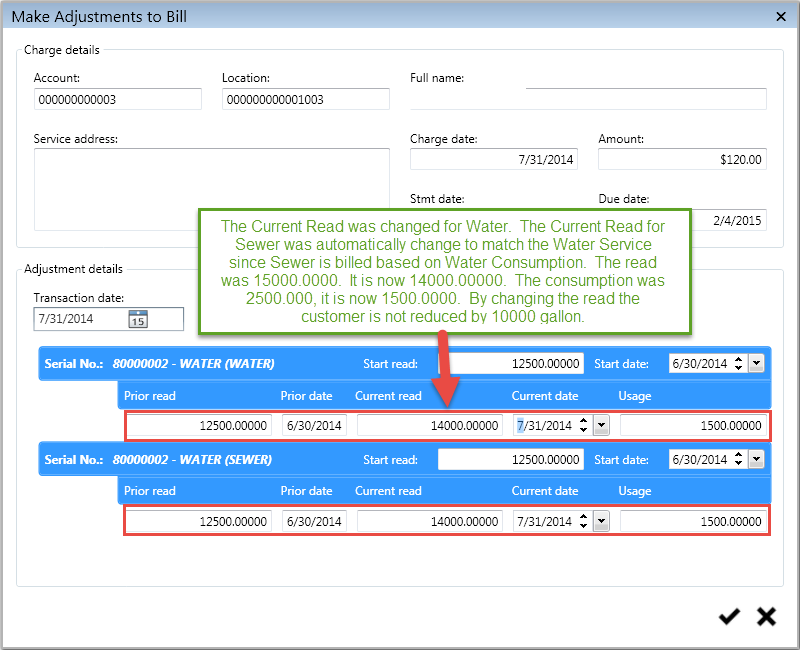
Figure 555: Make Adjustment for Bill
In the illustration below, you will see a Billing Adjustment of ($16.66)

Figure 556: Bill Automatically Adjusted
The screen shot below shows the breakdown of the ($16.66)
The Water and Sewer both received a credit based on the corrected meter reading and adjustment

Figure 557: Bill Adjustment Breakdown